

Release Notes

Aug 8, 2025
- New Features
- Remediation Plan Modification
- We have added the ability to edit remediation plans. Allowing the ability to change the:
- Action Name
- Owner
- Due date
- Plan Description
- We have added the ability to edit remediation plans. Allowing the ability to change the:
- New Dashboard Widget Segmentation
- We have added the following segmentation options that can be used when creating a custom dashboard:
- ITSM Destination
- Remediation Owner
- Remediation Plan Owner
- Remediation Plan Name
- We have added the following segmentation options that can be used when creating a custom dashboard:
- NopSec Solution
- We've developed a custom LLM (Large Language Model) to create a normalized vulnerability solution. This powerful new feature analyzes and standardizes remediation guidance, providing you with clear, consistent, and actionable steps to fix vulnerabilities, regardless of their source. Solution that have gone through our LLM will have the following logo:

- We've developed a custom LLM (Large Language Model) to create a normalized vulnerability solution. This powerful new feature analyzes and standardizes remediation guidance, providing you with clear, consistent, and actionable steps to fix vulnerabilities, regardless of their source. Solution that have gone through our LLM will have the following logo:
- Attack Path in vulnerability details
- For customers with Attack Path enabled, you can now jump directly from a vulnerability instance’s details to attack path details.
- Enhanced Column Manager
- Take control of your data presentation with our enhanced Column Manager. Effortlessly rearrange columns with a simple drag-and-drop.
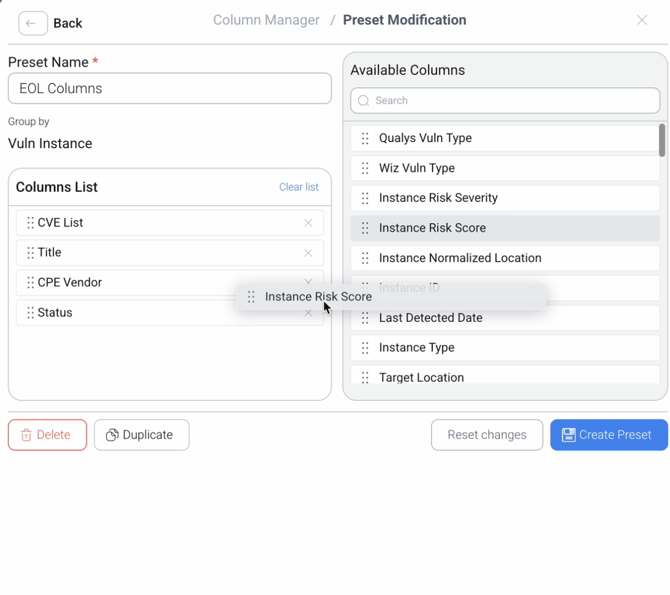
- Save your favorite view as the default to ensure your most important information is always front and center.
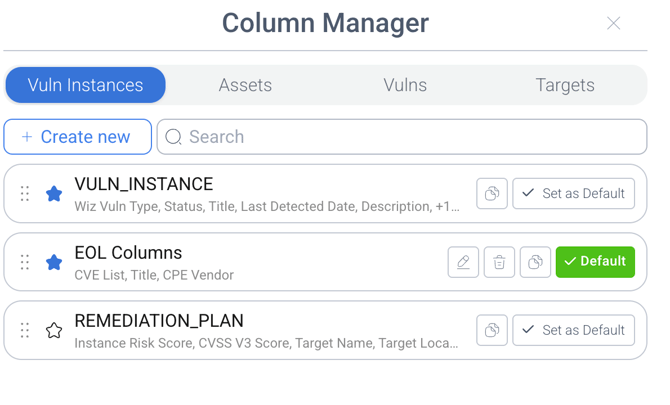
- Take control of your data presentation with our enhanced Column Manager. Effortlessly rearrange columns with a simple drag-and-drop.
- Remediation Plan Modification
-
- Enhanced Prioritize Page
- We've added a new toggle to the prioritize page, giving you two powerful ways to filter your data.
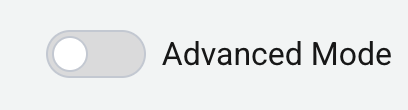
- Simple Mode (Default)
- Easily and quickly analyze your data using our pre-set filters. This mode is perfect for getting started to easily make sense of your data.
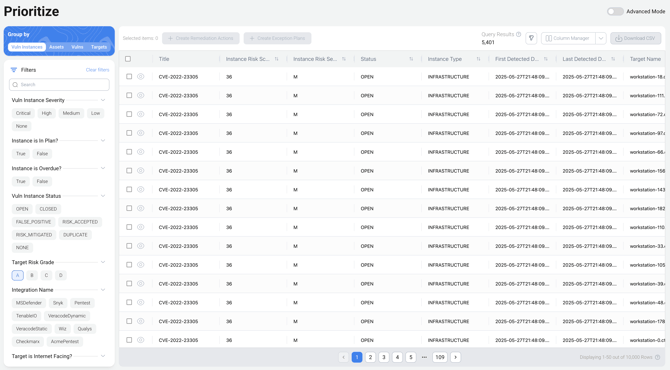
- Easily and quickly analyze your data using our pre-set filters. This mode is perfect for getting started to easily make sense of your data.
- Advanced Mode
- For more granular control, switch to Advanced Mode. This unlocks the query string input field, allowing you to directly edit the query string or craft your query through the Query Builder.
- We've added a new toggle to the prioritize page, giving you two powerful ways to filter your data.
- Enhanced Prioritize Page